
Fader for every app.
Mix live from a Console window, iPhone remote, MIDI or OSC controller. Recording of the main mix is in the works.
30-day free trial · macOS 15+, Apple silicon · free iOS remote
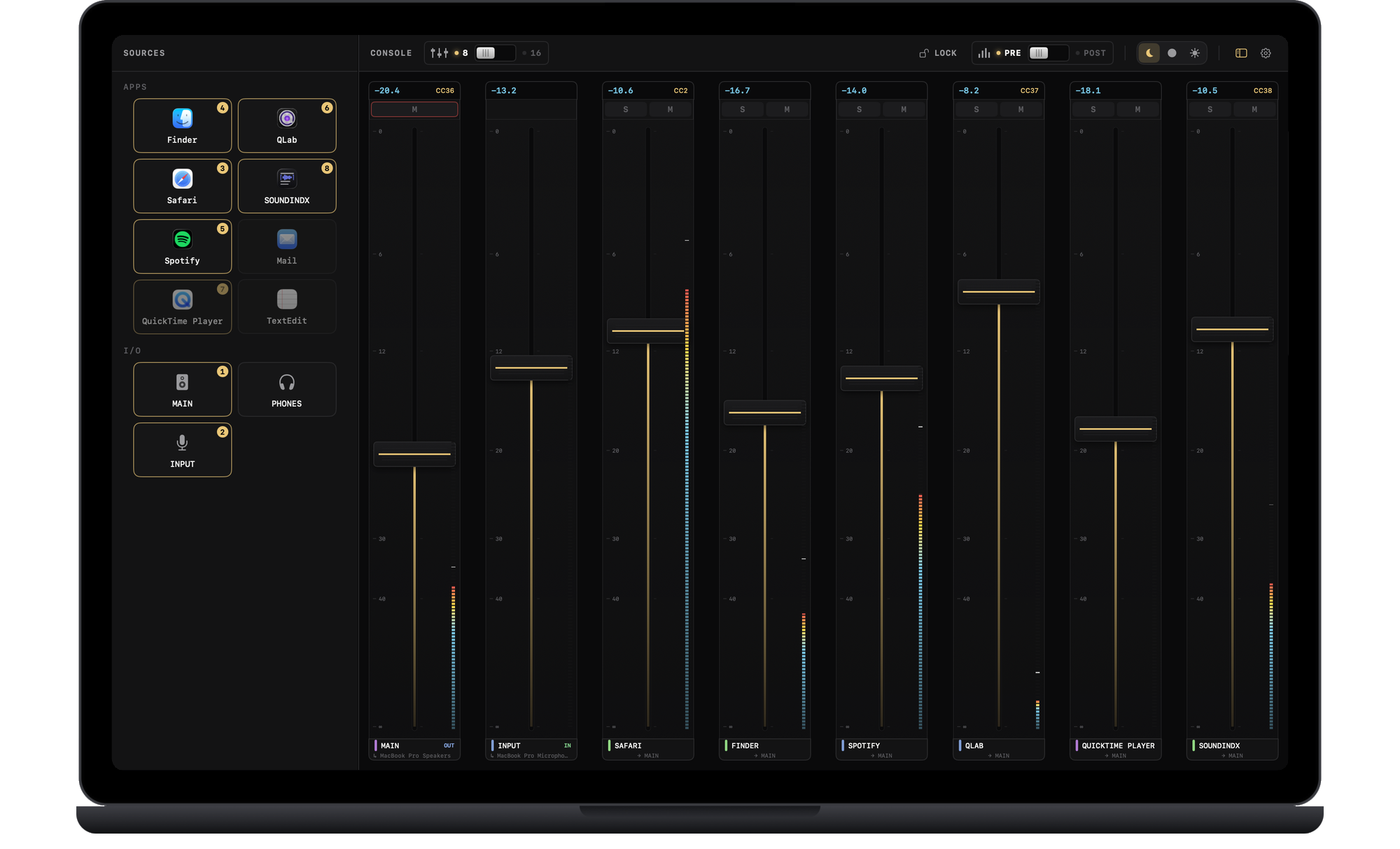
Per-app mixing console.
Eight or sixteen fader strips in one window, in the order you choose. Drag any app or bus onto a strip; dropped on a strip in use it replaces it.
- 8 or 16 strips, your order
- Source grid: drag apps onto faders
- In sync with your iPhone
- Supports MIDI and OSC control devices
Recording is coming.
We are working on recording the main mix, the sound you hear, so you can drag it straight into Finder, Logic or QLab. It will arrive as a free update for version 1 once it is ready.
- Free update for version 1
- Starts only when you press record
- Files stay on your Mac
Source grid
Every running app is a tile. Drag it onto a fader, or click it to use the first free strip.
Live meters
A live level on every Console strip, and on your iPhone.
iOS remote
Free companion app. Pair once with a PIN on the same network.
MIDI Learn
Right-click a strip, move a control, and it drives that fader.
OSC Control
Stream Deck, QLab and scripts can control the console over OSC, protected by a password.
Latency you set
Choose the buffer size and see the estimated output latency.
Recording, in the works
Recording the main mix is coming as a free update for version 1.
One-time purchase. Try the full app free for 30 days first.
- Free updates for version 1
- Free iOS remote
- Works offline after activation
Good to know.
What happens when the trial ends?
The faders release, so every app plays on its own again, until you enter a license key.
Why does macOS ask for audio permission?
Per-app faders work by routing each app's audio through MIXINDX, and macOS labels that as audio recording. MIXINDX does not save any audio.
What do I need to run it?
macOS 15 Sequoia or newer on Apple silicon. The iOS remote is free, needs iOS 16 or newer, and installs from TestFlight.
Does my audio or usage data go anywhere?
No analytics, and your audio never leaves the Mac. The network is used for license checks, update checks and the iOS remote on your own network.
Will MIXINDX record?
Recording the main mix is in the works and will come as a free update for version 1. This version does not record.
Refunds?
Yes, a 14-day refund, no questions asked. See Terms & refunds, section 4.