The cue book for sound, light and video.
Mark each cue on your script's exact words, then follow the show from QLab or a lighting desk.
One-time purchase · 30-day free trial · macOS 13+, Apple silicon
Cue it on the words.
Drag over the words a cue goes on. The mark snaps to whole words.
- Label right under the mark
- Your PDF stays untouched
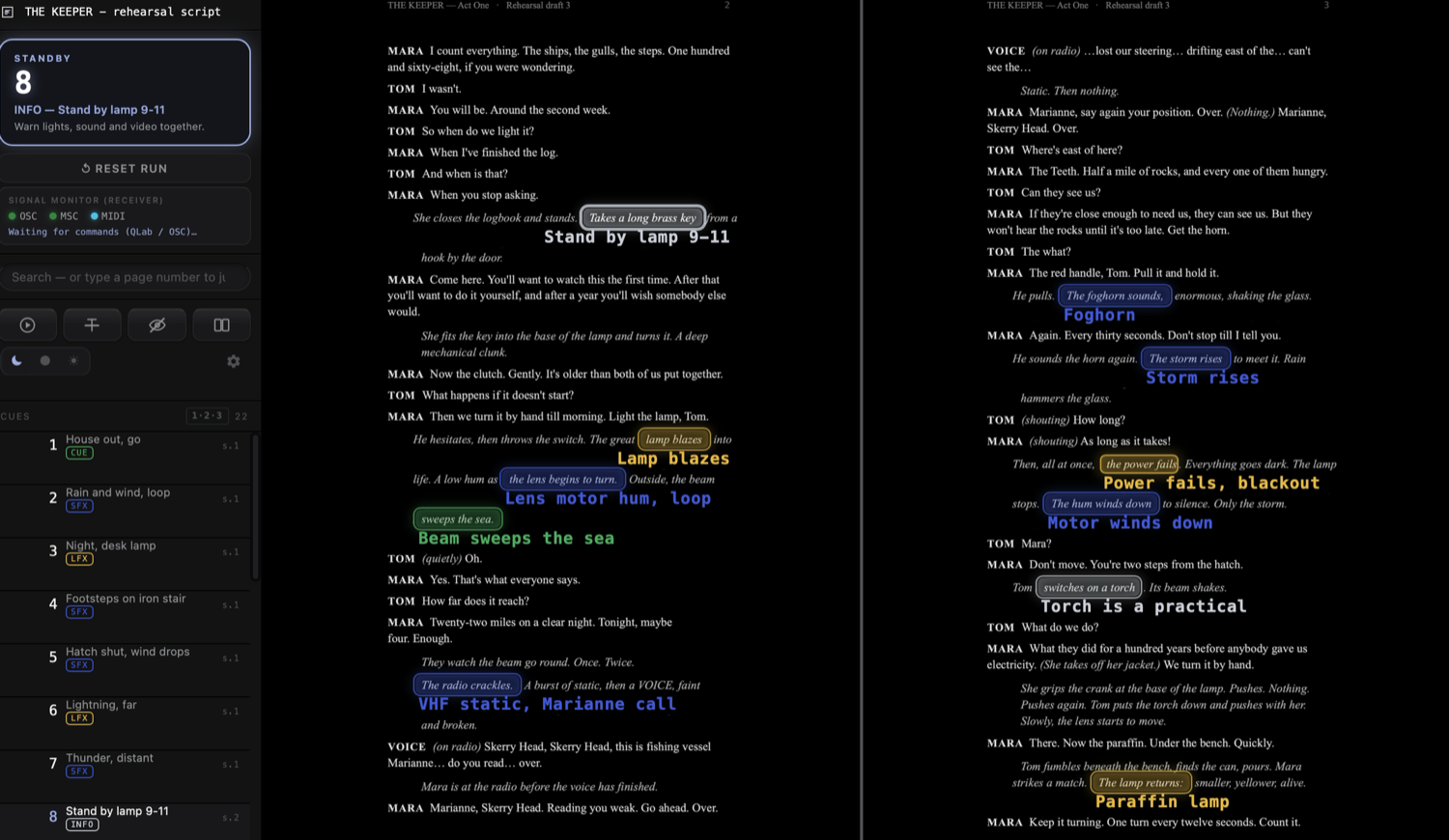
Everything between the script and the show.
Standby and GO
Standby shows the next cue. GO moves on, Back steps back.
Follows the show
Listens to OSC, MIDI and MSC and turns the page with the show.
Cue types
Sound, light and video cues, or types of your own, each with a color.
Resume the show
Reopen the script after a crash and resume where you left off.
Export the marked script
A PDF that looks exactly like the screen, ready to print as a backup.
Three themes
Booth is dark, Studio a step lighter, Daylight is light. Switch in the sidebar.
One-time purchase. The license does not expire.
- Up to 3 Macs
- Free updates for version 1
- Works offline after activation
Good to know.
Does SCRIPTINDX control QLab or the lighting desk?
No, on purpose. It receives OSC, MIDI and MSC so the cue book follows the show. It never sends commands.
Which PDFs work?
Any PDF with a text layer, such as an export from Word, Pages or Final Draft. Scans need OCR first.
Does my script go anywhere?
No. Your PDF and marks stay on your Mac. No telemetry; the app goes online only for the license and updates.
What happens when the trial ends?
The trial is fully functional for 30 days, and the days left are always shown in the sidebar. To keep using SCRIPTINDX after that, you buy a license.
Refunds?
Yes, a 14-day refund, no questions asked. See Terms & refunds, section 4.